🎵 Import
Choose an audio file to begin a new project.
Import music, work on vocals and lyrics, and prepare karaoke-ready files in a guided desktop workflow.
Pricing to be announced
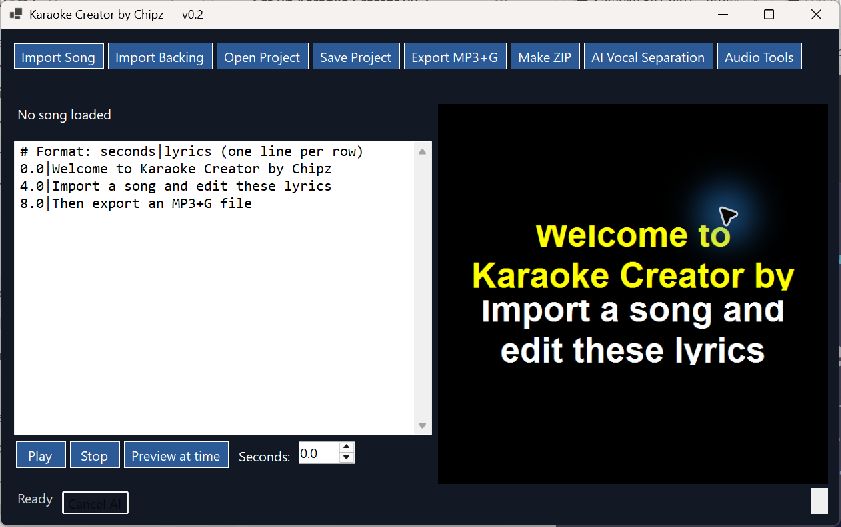
Choose an audio file to begin a new project.
Work on vocals, timing, and lyrics using the tools available in your installed build.
Prepare the output format supported by the release build.
| Operating system | Windows 10/11, 64-bit (target; final testing required) |
|---|---|
| Processor | Modern quad-core recommended; processing workloads may vary |
| Memory | 8 GB minimum target; 16 GB recommended for audio processing |
| Storage | Free working space for audio projects and exports |
| Internet | May be required for certain processing services, if enabled |
Vocal separation, lyric generation, background vocals, and CD+G export must be confirmed in the final build before being advertised as guaranteed features. Use only music you have the rights to process.
Pricing to be announced